

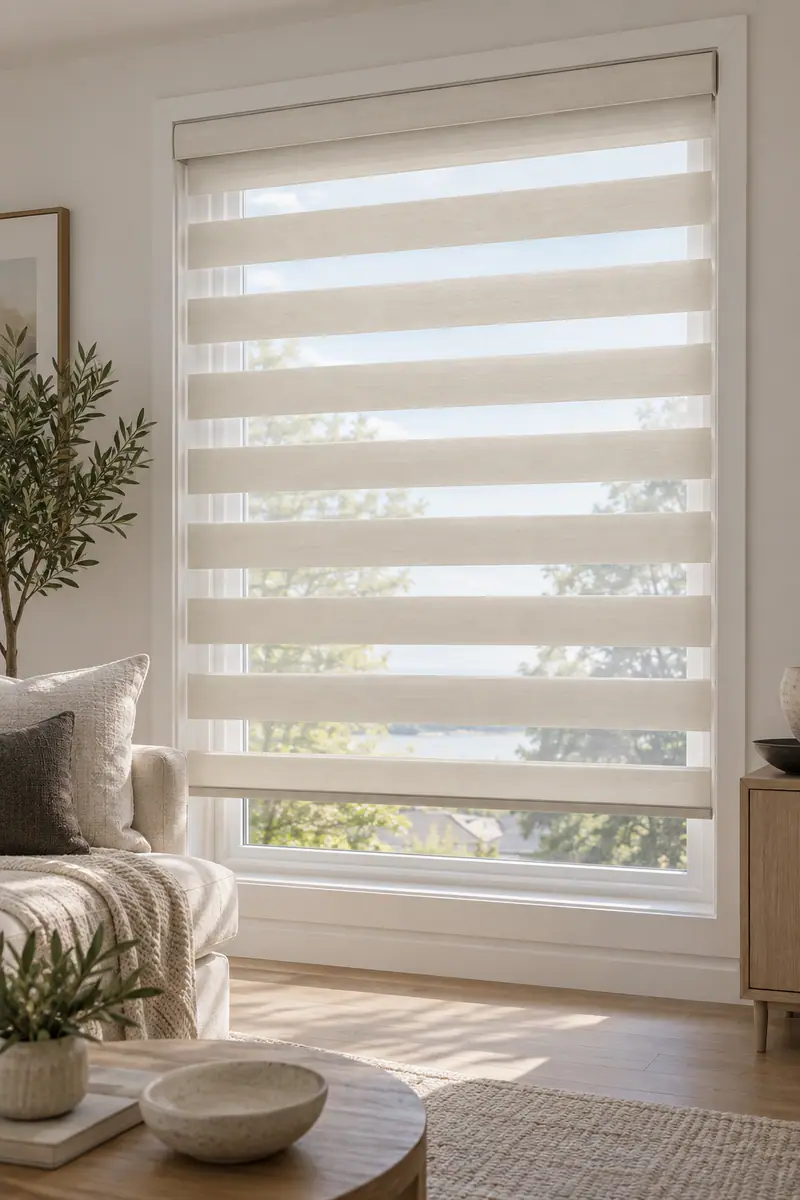
Smart blinds do not all have the same manual override. A pull, chain, wand, or other physical mechanism is a mechanical control, while a remote, wall switch, app, Bluetooth connection, voice command, or schedule is an electronic control path that may still depend on power, pairing, or connectivity. Before approving a motor and blind, ask which controls work without Wi-Fi, without the hub, during a power interruption, and when batteries are depleted. Related reading: Smart lock automation safety setup.
The right fallback depends on the blind style, motor, power source, window access, and installation conditions. A reliable setup is not necessarily the one with the most control methods. It is the one that remains practical for the way you use the room.
What “manual override” means for smart blinds
A true manual override lets you operate the window covering through a physical mechanism without relying on an app, network, remote pairing, or voice assistant. Depending on the selected product, that may involve a pull, chain, wand, clutch, button, or another local control. Not every motorized blind includes one.
A remote control is different. It may be a useful backup to an app or schedule, but it is still electronic and normally depends on the blind receiving electrical power. A wall control, Bluetooth connection, voice command, and programmed schedule are also alternative electronic control paths, not mechanical overrides.
The distinction matters during a fault. If your phone is unavailable, a paired remote may still operate the blind. If the motor has no power, however, both the app and remote may be unavailable unless the system has a suitable backup design. The exact behaviour must be confirmed for the selected blind, motor, power source, and control system.
Lavish Blinds offers made-to-measure blinds, shades, shutters, and motorized or smart blind solutions. Its installation process includes product selection, on-site measurement, professional fitting, operation checks, and handover, which creates an opportunity to confirm fallback control before the project is complete.
Smart blind control options compared

Each control method solves a different problem. Compare the control itself, what it depends on, and who needs to use it instead of assuming that “smart” means the same thing across every window covering.
| Control option | What it means | Typical dependencies | Where it may fit |
|---|---|---|---|
| Physical pull, chain, wand, or local button | A control at the blind or headrail that may provide direct physical operation. | Product design, clearance, safe access, and the selected motor or hardware. | Accessible windows where local operation is practical. |
| Handheld remote | A separate electronic control for one blind or a group. | Motor power, remote battery, pairing, and the system’s receiving hardware. | Bedrooms, living rooms, and grouped windows where a dedicated control is convenient. |
| Wall control | A fixed electronic switch or control located near the window or room entrance. | Power, wiring or wireless pairing, compatible motor, and installation position. | Offices, shared rooms, and homes where several people need a predictable control point. |
| App or Bluetooth | Operation through a phone or local wireless connection. | Phone battery, app access, pairing, Bluetooth range, and motor power. | Users who want local digital control without relying on a handheld remote. |
| Wi-Fi, hub, or smart-home platform | Control through a network, hub, automation system, or connected platform. | Power, network availability, hub status, account access, and compatibility. | Multiple rooms, routines, scenes, or integration with an existing setup. |
| Voice control | A spoken command sent through a compatible assistant or platform. | Microphone, network, platform, account, hub or bridge, and motor power. | Users who benefit from hands-free operation or need to control difficult-to-reach windows. |
| Schedule or automation | A programmed action that opens, closes, or adjusts the covering at a selected time or event. | Stored settings, clock or platform, connectivity where required, and motor power. | Repeated privacy, daylight, or room-darkening routines. |
Manual, motorized, and smart operation should be chosen around the window’s access, frequency of use, and daily routine. A living-room window that is easy to reach may not need the same fallback arrangement as a skylight, high window, or opening behind furniture. When comparing a simple physical control with connected operation, the discussion of manual, motorized or smart operation provides useful context for matching control to the room.
What happens when a control path fails?
A failure of one control method does not always mean that the blind itself has failed. Work through the interruption scenario separately, because a missing remote, unavailable network, depleted battery, and loss of motor power create different conditions.
If the remote is unavailable
An app, wall control, or local physical control may still work if the motor and system remain powered and those controls are compatible. A second remote is an electronic backup, not a mechanical override. Ask whether the blind can be operated locally and whether the remote can be paired again without removing the blind.
If the app is unavailable
The blind may still respond to a compatible remote, wall control, voice system, or physical mechanism. App failure can result from a phone battery, account access, software problem, pairing issue, or a problem with the motor rather than the window covering itself. Do not assume that reinstalling the app will solve a power or mechanical problem.
If Wi-Fi or the hub is offline
A local remote, wall control, or Bluetooth connection may remain available, depending on the system. Cloud-based schedules, voice commands, and away-from-home controls may not work while the network or hub is offline. Ask whether normal in-room operation is local or network-dependent.
If Bluetooth is unavailable
A different control path may remain usable, such as a remote, wall control, or network connection. Bluetooth range and pairing behaviour vary, so a phone that worked beside the window may not control it reliably from another room. Treat Bluetooth as one option, not proof of a mechanical fallback.
If the remote battery is depleted
The blind may continue to work through an app, wall control, voice command, schedule, or local mechanism if those options are available and powered. If the remote is your only control, the window covering may remain in its current position until the battery is replaced or the remote is serviced.
If mains power is interrupted
Do not assume that a motorized blind will continue moving during an outage. Battery-powered, rechargeable, plug-in, and hardwired systems behave differently, and a battery-backed design may still have limits. Confirm whether the selected system has a physical manual mechanism, stored local control, backup power, or no operation until power returns.
These questions should be answered before ordering, not during the first outage. The selected product and control approach determine whether a fallback is mechanical, electronic, battery-supported, or unavailable under a particular failure condition.
Choose the fallback setup by room and routine
The best manual or backup control is the one that suits the people using the room and the way the window is reached. Start with the daily routine, then decide how much automation is genuinely useful.
Bedrooms that need privacy or darkness
A bedroom may benefit from a remote or schedule if you adjust the covering at bedtime and in the morning. If the window is easy to reach, ask whether a local physical control is practical. If the window is behind a bed or furniture, remote operation may be more convenient, but confirm what happens if the remote, app, or power is unavailable.
For blackout shades, the control system does not replace proper fit. The material, mounting position, and gaps around the covering affect light control, so include both the room-darkening goal and the fallback-control goal in the consultation.
Living rooms with accessible windows
An accessible living-room window may work well with manual operation if it is adjusted occasionally. A remote or wall control becomes more useful when several windows need to move together, glare changes throughout the day, or furniture makes repeated access inconvenient.
Do not add connected features simply because the window can support them. If a straightforward local control meets the routine, it may be easier for guests and household members to use.
High, wide, or obstructed windows
Hard-to-reach windows are strong candidates for motorized or smart operation because a physical control may be difficult to access safely. Remote, wall, app, or voice control can improve convenience, but they are only useful if the selected power and control system remain dependable.
On-site measurement should account for window dimensions, trim, handles, furniture, and other obstructions. These conditions affect both the blind and the installation, so the control choice should be considered alongside the physical window.
Condos and rental homes
In a condo or rental, check the mounting location, power access, building requirements, and whether permanent wiring is acceptable before choosing a system. A battery-powered or rechargeable arrangement may reduce wiring work, but it still requires a clear plan for charging or replacement access.
If you cannot alter the window or wall significantly, ask whether the proposed product is suitable for the existing blind, frame, and mounting arrangement. Do not assume that an existing blind can be automated while retaining its original manual operation.
Homes with children or pets
A physical cord or chain can affect safety, access, appearance, and installation suitability. A cordless, inaccessible, or motorized arrangement may be worth discussing, but no single control method is automatically right for every room or household. Ask how the finished configuration will be positioned and operated around beds, furniture, play areas, and pet access.
Small offices and shared rooms
A small Oakville office should consider who adjusts the blinds, how often the room changes use, and whether staff need one predictable control point. Manual operation may suit accessible windows used occasionally. Motorized or smart options are more worth discussing for high, obstructed, numerous, or frequently adjusted windows.
A wall control or shared remote may be easier for multiple users than one person’s phone app. Grouped control can simplify several windows, but confirm what remains available if the hub, network, remote, or power fails. The operating method should support the office routine instead of creating a system that only one person knows how to use.
Match override expectations to the blind and window
Blind and shade formats do not all accept the same motor or local control. The product category, size, weight, mounting position, and access conditions must be assessed together.
- Roller blinds: Ask whether the chosen motor replaces the normal operating mechanism, leaves a local control available, or requires an electronic control path. Consider fabric weight, width, clearance, and whether the blind is inside or outside mounted.
- Venetian, wooden, and faux-wood blinds: Confirm whether tilt, lift, or both functions are motorized. Do not assume that motorizing one function creates a manual override for the other.
- Vertical blinds: Discuss how the vanes stack, how the track operates, and whether the control must accommodate a wide opening or patio door. Handles, furniture, and stacking direction can affect access.
- Roman shades: Ask how the shade raises and lowers, where the motor sits, and whether the fabric stack requires clearance above the window.
- Cellular or honeycomb shades: Confirm the motor and operating method for the specific configuration. The shade’s construction and mounting position may affect access to any local control.
- Blackout shades: Separate the need for room darkening from the need for fallback operation. Motorization changes convenience, but it does not remove edge gaps or mounting considerations.
- Plantation and custom shutters: Discuss whether the panels and louvres need motorized operation at all. Their hinged or framed design can create different access and clearance questions from rolling shades.
Large windows, skylights, unusual shapes, deep trim, handles, and furniture deserve particular attention. Motorized or automated operation should be confirmed for the specific product rather than assumed to be available for every blind type.
A safe troubleshooting sequence before resetting anything

Start with simple observations and avoid resetting the system as your first response. A reset can change settings or pairing, while the actual problem may be an obstruction, depleted battery, lost power, or a control that is being used from outside its effective range.
- Stop if movement is obstructed. Look for furniture, handles, cords, trim, fabric, slats, or another object interfering with the blind. Do not force the covering or pull against a motor.
- Check the position and clearance. Confirm that the blind is sitting correctly in its brackets or track and that nothing has shifted around the window.
- Check the stated power source. Inspect the relevant battery, charging connection, plug, or power indicator according to the product instructions. Do not assume that a blank app means the motor has failed.
- Test the available local control. If a physical button, chain, wand, wall control, or other local option is part of the selected system, test it without forcing the mechanism. This helps separate a control problem from a movement problem.
- Test the remote and pairing. Check the remote battery and whether the remote is still paired. If several blinds are grouped, test one blind separately if the system allows it.
- Check app, Bluetooth, Wi-Fi, and hub status separately. A network or app problem should not be treated as a mechanical fault. Record which controls work and which do not.
- Record the symptoms. Note whether the blind is silent, moves partly, moves in one direction, responds slowly, or responds only to one control. A short video can help an installer understand the fault.
- Stop and request service when the problem is unclear. If the blind is jammed, the motor is noisy, wiring appears damaged, the covering is loose, or no control works after basic checks, avoid opening components or repeatedly resetting the system.
During installation, ask the installer to demonstrate every agreed control path and show what happens when the primary control is unavailable. Lavish Blinds describes operation checks and handover as part of its motorized installation process, so the final demonstration should cover the actual blind, controls, power source, and room conditions. Related reading: What Happens During Motorized Blinds Installation?.
Questions to ask before ordering smart blinds
Bring these questions to a consultation or quote review. They turn the broad request for “smart blinds with manual override” into a specific operating brief.
- Does this exact blind and motor have a true mechanical manual override?
- If it does not, what electronic backup controls are available?
- Will the blind operate without Wi-Fi, the hub, Bluetooth, the app, or the handheld remote?
- What happens during a mains power interruption?
- What is the power source, and how are batteries charged, replaced, or accessed?
- Can the blind be controlled locally from a wall, headrail, or other fixed position?
- Can several blinds be grouped while preserving individual control?
- Which controls are suitable for children, pets, guests, office staff, or users with accessibility needs?
- Will the selected motor work with this blind material, width, height, mounting position, and operating function?
- Do handles, trim, furniture, skylights, or deep recesses affect the control or installation?
- Does retaining a cord or chain create a safety or access trade-off in this room?
- What will be tested at handover, including local controls, remotes, app access, grouping, and power behaviour?
- Which parts of the quote cover measurement, the blind, motor, controls, power equipment, installation, and final testing?
Plan a measured smart-blind consultation in Oakville
The most dependable smart-blind setup is the one whose fallback behaviour matches your window and routine. Decide whether you need a true physical override, a second electronic control, or simply a reliable local remote, then confirm how the chosen system behaves when power or connectivity is unavailable.
Lavish Blinds offers made-to-measure motorized and smart window coverings with professional installation. To discuss window access, fallback-control priorities, and installation requirements, explore its motorized and smart blind services.